15 WhatsApp Tricks Most People Don't Know in 2026
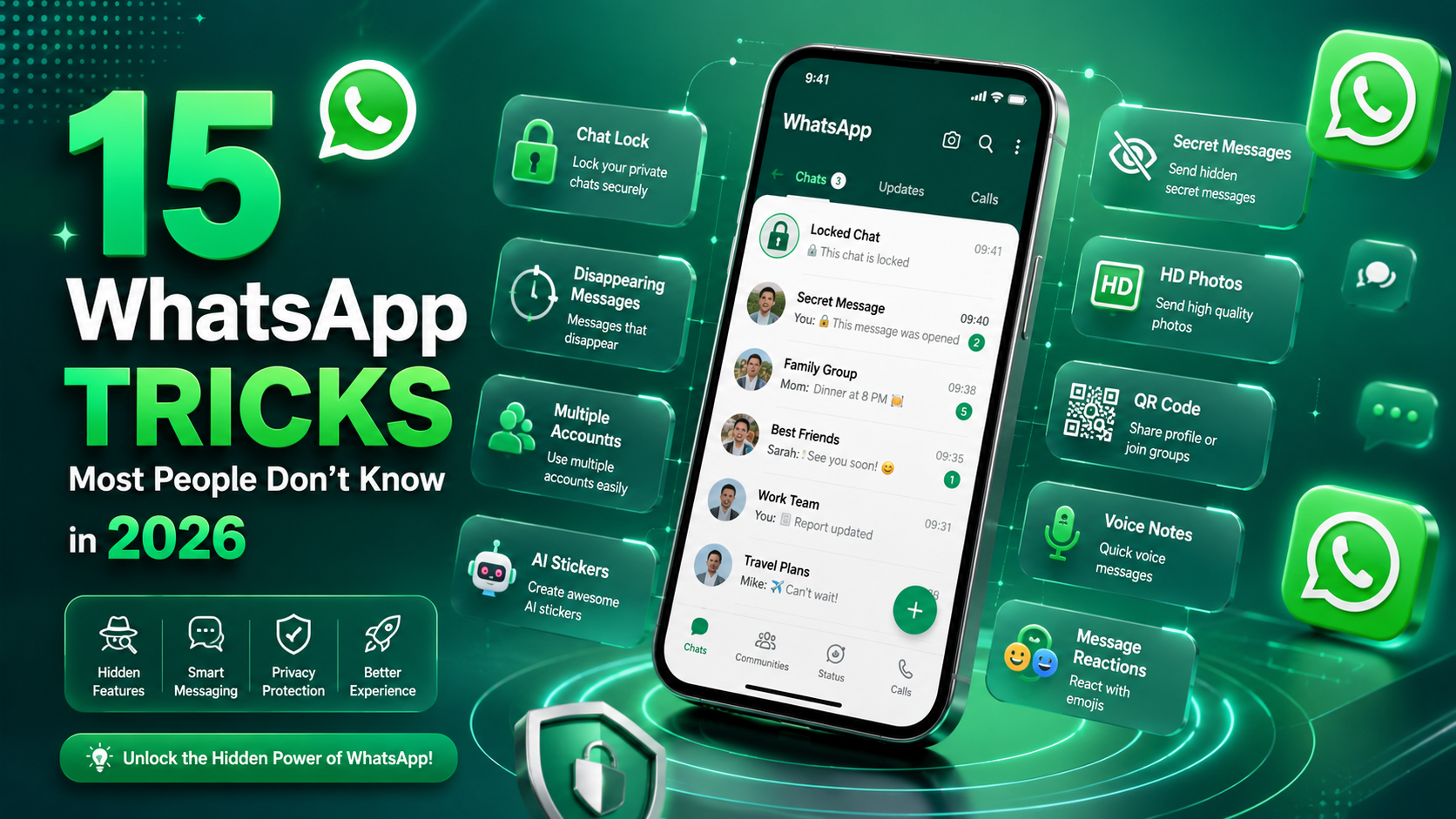
15 WhatsApp Tricks Most People Don't Know in 2026
Discover secret WhatsApp features, hidden privacy settings, smart chat tricks, and powerful tools that most users still don't know exist in 2026.
WhatsApp is no longer just a simple messaging app. In 2026, it includes advanced privacy tools, AI-powered chat features, hidden shortcuts, productivity tricks, and smart messaging options that most people never use. Whether you use WhatsApp for personal chats, business communication, or marketing, learning these hidden tricks can save time, improve privacy, and completely change how you use the app every day.
📚 Table of Contents
- Edit Sent Messages
- Chat Lock Feature
- Send HD Photos
- Message Yourself
- Use Multiple Accounts
- Secret Voice Note Tricks
- Create Click to Chat Links
- Hide Online Status
- Pin Important Messages
- Search Messages by Date
- Use WhatsApp on Multiple Devices
- Share Screen During Calls
- Instant QR Contact Sharing
- Create Custom Stickers
- Disappearing Voice Messages
1. Edit Sent Messages
✏️ Fix Mistakes Without Deleting Messages
One of the best WhatsApp features in 2026 is message editing. If you send a message with a typo or wrong information, you can edit it instead of deleting it.
- Press and hold the message
- Tap the three-dot menu
- Select "Edit"
- Update your message instantly
2. Lock Private Chats With Fingerprint or Face ID
🔒 Hide Sensitive Conversations
Chat Lock is one of the most useful privacy features added to WhatsApp. You can hide specific chats behind fingerprint, Face ID, or passcode protection.
Locked chats move into a hidden folder that only you can access. This is perfect for private conversations, business chats, or sensitive information.
3. Send HD Photos Without Losing Quality
📸 Share High-Quality Images
WhatsApp normally compresses photos heavily. But in 2026, you can send HD-quality photos and videos directly inside chats.
- Select your image
- Tap the HD button at the top
- Choose High Quality
- Send the photo normally
4. Message Yourself on WhatsApp
📝 Use WhatsApp Like a Notes App
WhatsApp now allows you to send messages to yourself. You can save links, notes, passwords, reminders, screenshots, or documents instantly.
Many people now use self-chat as a cloud notes system because messages sync across all devices automatically.
5. Use Two WhatsApp Accounts on One Phone
📱 Separate Personal and Business Chats
WhatsApp now supports multiple accounts inside one app. You no longer need dual apps or cloning tools.
| Feature | Benefit |
|---|---|
| Personal Account | Friends and family chats |
| Business Account | Work and customer communication |
| Separate Notifications | Better organization |
6. Speed Up Voice Messages
🎧 Listen Faster
Long voice notes waste time. WhatsApp allows you to increase playback speed up to 2x.
Tap the speed icon while listening to switch between:
- 1x Normal Speed
- 1.5x Faster
- 2x Ultra Fast
7. Create Click to Chat Links
🔗 Start Chats Without Saving Numbers
Click to Chat links allow customers to open a WhatsApp conversation instantly without saving your number first.
Businesses use these links on websites, Instagram bios, QR codes, and ads to increase customer messages dramatically.
8. Hide Your Online Status From Specific People
👀 Stay Invisible
WhatsApp now gives full control over your online visibility. You can hide your online status from selected contacts while still chatting normally.
This feature is especially useful for privacy and avoiding unwanted conversations.
9. Pin Important Messages
📌 Never Lose Important Information
Instead of scrolling endlessly, you can pin important messages inside chats and groups.
- Addresses
- Passwords
- Meeting times
- Business details
- Important reminders
10. Search Messages by Date
📅 Find Old Messages Instantly
Searching by date is one of the most underrated WhatsApp features in 2026.
Instead of manually scrolling through years of messages, you can jump directly to conversations from a specific date.
11. Use WhatsApp on Multiple Devices
💻 Stay Connected Everywhere
WhatsApp now supports multiple linked devices simultaneously without needing your phone connected all the time.
| Device | Supported |
|---|---|
| Laptop/Desktop | ✔ Yes |
| Tablet | ✔ Yes |
| Second Phone | ✔ Yes |
12. Share Your Screen During Video Calls
🖥️ Better Meetings and Tutorials
WhatsApp video calls now support screen sharing, making it useful for online support, business meetings, tutorials, and presentations.
13. Share Contacts Using QR Codes
📱 Add Contacts Instantly
Every WhatsApp account now has a personal QR code. Instead of typing phone numbers manually, people can scan your code to start chatting instantly.
14. Create AI Stickers and Custom Stickers
🎨 Make Personalized Stickers
WhatsApp now supports AI-generated stickers and custom sticker creation directly inside the app.
You can turn photos into stickers, remove backgrounds automatically, and create personalized reactions for chats.
15. Send View Once Voice Messages
🎤 Private Audio Messages
WhatsApp introduced disappearing voice notes that can only be listened to one time.
After the receiver opens the message once, it disappears permanently for added privacy and security.
Why These WhatsApp Tricks Matter in 2026
WhatsApp has evolved far beyond basic messaging. It is now used for business communication, online shopping, customer support, marketing, remote work, education, and even content creation.
Learning these hidden features can improve your privacy, save time, increase productivity, and help you use WhatsApp more professionally every day.
Most users only know 20% of what WhatsApp can actually do. By using these advanced tricks, you instantly gain an advantage over average users.
Explore More Free WhatsApp Tools
Discover powerful free WhatsApp tools for QR codes, Click to Chat links, message formatting, bulk messaging, and more at Whatolls.sbs.
🚀 Visit Whatolls.sbs