How to Find the Right WhatsApp Country Code
How to Find the Right WhatsApp Country Code and Avoid Message Failures
Learn how to correctly format international WhatsApp numbers, find accurate country codes, and stop failed WhatsApp messages forever.
Few things are more frustrating than sending an important WhatsApp message and realizing it never reached the other person. In most cases, the problem is not WhatsApp itself — it is an incorrect country code or badly formatted phone number. Whether you run a business, contact international clients, create Click to Chat links, or simply message friends abroad, understanding WhatsApp country codes is essential. This complete 2026 guide explains how to find the correct WhatsApp country code and avoid common messaging failures.
📑 Table of Contents
What Is a WhatsApp Country Code?
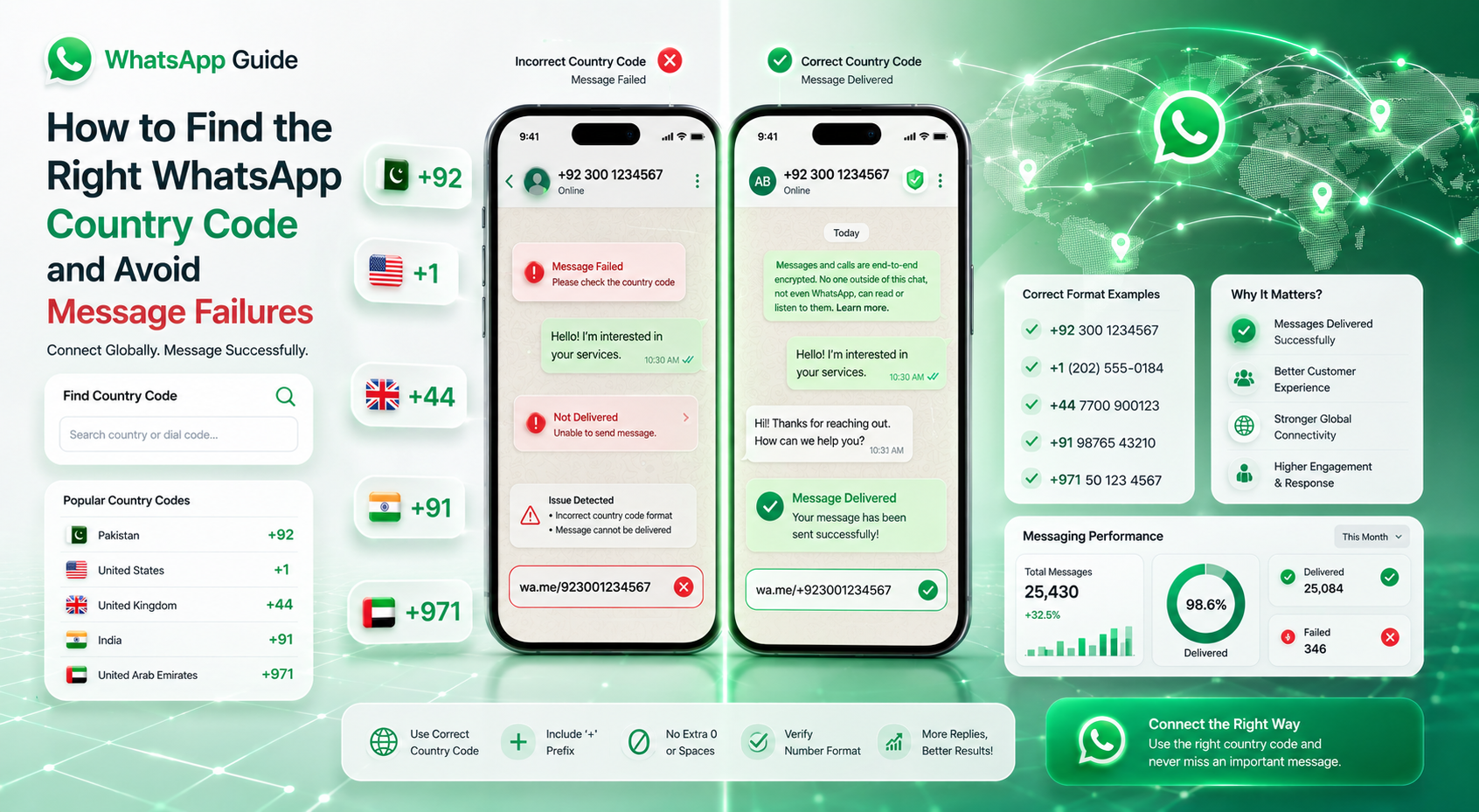
A WhatsApp country code is the international dialing prefix added before a phone number. It tells WhatsApp which country the number belongs to so the platform can correctly connect calls, chats, and messages worldwide.
For example:
- Pakistan = +92
- India = +91
- United States = +1
- United Kingdom = +44
- United Arab Emirates = +971
If you enter the wrong country code or incorrectly format the number, WhatsApp may fail to open the chat or send messages successfully.
WhatsApp wa.me links only work with numbers in international format without spaces, dashes, or the + symbol.
Why Country Codes Matter
Why WhatsApp Messages Fail
Many WhatsApp message failures happen because users enter numbers incorrectly. Here are the most common reasons:
| Problem | What Happens |
|---|---|
| Wrong country code | WhatsApp cannot identify the country |
| Keeping leading zero | Invalid international number format |
| Adding spaces or dashes | Broken Click to Chat links |
| Missing country code | Message fails internationally |
| Using inactive numbers | Messages never deliver |
How to Find the Correct WhatsApp Country Code
Finding the correct country code is simple when you follow the right process.
-
Identify the Country
Determine which country the phone number belongs to before formatting the number.
-
Search the International Dial Code
Find the official country calling code such as +92 for Pakistan or +44 for the UK.
-
Remove the Starting Zero
Local mobile numbers usually start with 0. Remove it before adding the country code.
-
Combine the Full Number
Add the country code directly before the number without spaces or symbols.
-
Test the WhatsApp Link
Open the number inside a wa.me link and verify that the chat opens successfully.
Most Popular WhatsApp Country Codes
| Country | Country Code | WhatsApp Format |
|---|---|---|
| Pakistan | +92 | 923001234567 |
| India | +91 | 919876543210 |
| USA | +1 | 12025550123 |
| United Kingdom | +44 | 447700900123 |
| Saudi Arabia | +966 | 966501234567 |
| UAE | +971 | 971501234567 |
Common WhatsApp Number Formatting Mistakes
Even small formatting errors can completely break WhatsApp links and messages. Avoid these mistakes:
- Using + inside wa.me links
- Keeping spaces between numbers
- Adding brackets or dashes
- Forgetting the country code
- Using outdated or inactive numbers
- Keeping the first 0 after country code
Wrong Format: wa.me/+92 300-1234567
Correct Format: wa.me/923001234567
Tips to Avoid WhatsApp Message Failures
Here are practical tips businesses and marketers use to avoid failed WhatsApp messages:
- Always validate international numbers before campaigns
- Use proper country codes for every region
- Test Click to Chat links before publishing
- Store contacts in international format
- Use QR codes linked to correctly formatted numbers
- Double-check numbers copied from spreadsheets
Frequently Asked Questions
Ready to Create Perfect WhatsApp Links?
Use the correct country codes, avoid broken chat links, and improve your international messaging with our free WhatsApp tools.
🚀 Open Free WhatsApp Tools →