How to Protect Your WhatsApp Account From Hackers
How to Protect Your WhatsApp Account From Hackers in 2026
Learn the smartest ways to secure your WhatsApp account, avoid scams, stop hackers, and protect your private chats with this complete 2026 security guide.
WhatsApp has become one of the most important communication apps in the world. People use it daily for personal chats, business conversations, payments, customer support, and private media sharing. Unfortunately, hackers know this too. In 2026, WhatsApp scams, phishing attacks, fake verification messages, and account takeovers are more common than ever. The good news is that protecting your WhatsApp account is easier than most people think. With the right security settings and smart habits, you can keep your messages, contacts, and business conversations safe from hackers.
📚 Table of Contents
Why WhatsApp Accounts Get Hacked
Most WhatsApp accounts are not hacked through advanced software. In reality, hackers usually trick users into giving away access themselves. This can happen through phishing links, fake customer support messages, social engineering scams, or stolen verification codes.
One common scam in 2026 involves fake WhatsApp verification requests. A hacker pretends to be a friend or business and asks for a six-digit verification code. Once the user shares that code, the hacker logs into the victim's WhatsApp account on another device.
Another growing threat is fake WhatsApp Web login pages. Users scan a malicious QR code thinking it is official, giving attackers access to all their chats instantly.
WhatsApp will never ask you to share your verification code with anyone. If someone asks for it — even a friend — it is most likely a scam.
Most Common WhatsApp Hacking Methods in 2026
Fake websites designed to steal your login information or verification code.
Scammers trick users into sharing the six-digit WhatsApp code.
Fake WhatsApp Web pages give hackers instant access to chats.
Hackers pretend to be WhatsApp support or Meta representatives.
Signs Your WhatsApp Account Is Compromised
Sometimes users do not realize their WhatsApp account has been hacked until it is too late. Recognizing suspicious activity early can help you recover your account quickly.
- Messages sent from your account that you never wrote
- Unknown devices connected to WhatsApp Web
- Your profile photo or status changed automatically
- Friends reporting strange messages from your account
- You suddenly get logged out of WhatsApp
- Verification code requests you did not make
If you notice any of these signs, immediately log out all connected devices, change your security settings, and activate two-step verification.
Best Ways to Protect Your WhatsApp Account
1. Enable Two-Step Verification
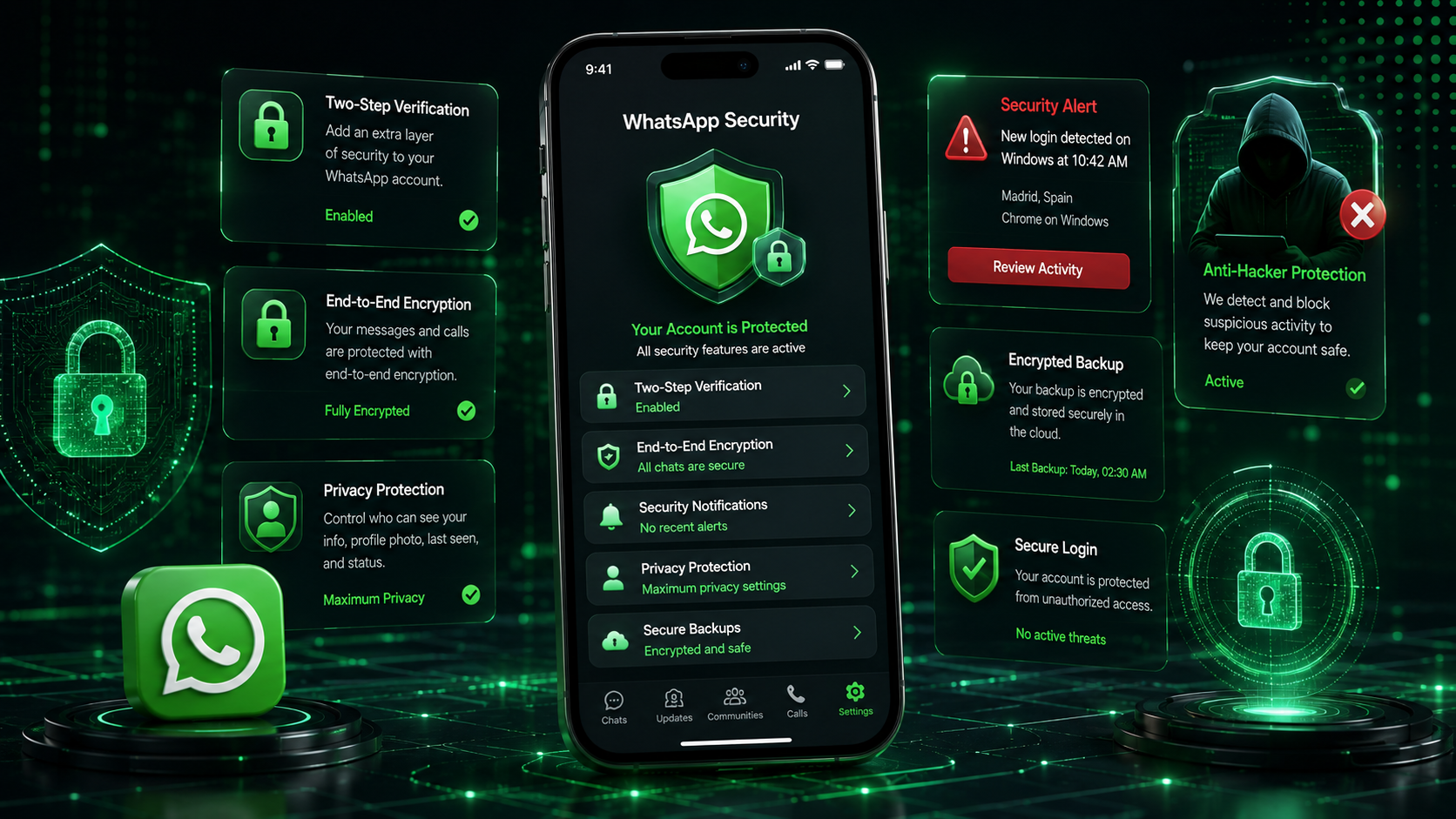
Two-step verification is the most important WhatsApp security feature in 2026. It adds a six-digit PIN that hackers cannot access even if they steal your SMS verification code.
To enable it:
- Open WhatsApp Settings
- Tap Account
- Select Two-step verification
- Create a secure PIN
- Add a recovery email address
Never use simple PINs like 123456 or your birth year. Use a unique code that nobody can guess.
2. Never Share Verification Codes
The six-digit verification code is the key to your WhatsApp account. If someone gets this code, they can log into your account immediately.
Even if a message appears to come from a trusted person, never share your verification code.
3. Review Connected Devices Regularly
WhatsApp Web and desktop login sessions can remain active for weeks. Hackers often abuse this feature if they gain temporary access to your phone.
Go to:
- WhatsApp Settings
- Linked Devices
- Review every connected session
- Log out unknown devices immediately
4. Use Official WhatsApp Only
Avoid modified apps like GB WhatsApp or unofficial clones. These apps may contain malware, spyware, or hidden tracking software.
Always download WhatsApp from official app stores only.
5. Protect Your SIM Card
Hackers sometimes perform SIM swap attacks to steal WhatsApp accounts. They convince a mobile carrier to transfer your phone number to another SIM card.
To reduce this risk:
- Add a PIN to your SIM card
- Use strong carrier account security
- Enable biometric phone lock
6. Avoid Public WiFi for Sensitive Conversations
Public WiFi networks in airports, cafes, and hotels may expose users to fake login pages and network attacks. Avoid accessing sensitive business chats on untrusted networks.
Common WhatsApp Security Mistakes
| Mistake | Why It Is Dangerous |
|---|---|
| Sharing verification codes | Hackers can instantly take over your account |
| Using weak phone passwords | Anyone with your phone can access chats |
| Ignoring unknown linked devices | Hackers may silently monitor conversations |
| Installing unofficial WhatsApp apps | These apps may contain spyware or malware |
| Clicking suspicious links | Can lead to phishing websites or malware |
Security Tips for WhatsApp Business Users
Business owners are major targets for WhatsApp scams because business accounts often contain customer information, invoices, payment screenshots, and sensitive conversations.
If you use WhatsApp Business, you should take extra precautions.
- Restrict account access to trusted employees only
- Use business email recovery methods
- Train staff about phishing scams
- Use secure devices with updated software
- Avoid sharing admin access unnecessarily
Businesses using marketing campaigns should also verify customer numbers carefully before sending messages. Tools like the WhatsApp Number Validator can help clean contact lists and reduce spam-related risks.
You can also improve customer communication securely with tools like:
If multiple team members manage one WhatsApp Business account, always review linked devices weekly and remove inactive sessions immediately.
What to Do If Your WhatsApp Account Gets Hacked
If you lose access to your WhatsApp account, act quickly:
- Reinstall WhatsApp and verify your number again
- Enable two-step verification immediately
- Log out all linked devices
- Contact WhatsApp support if needed
- Warn your contacts about suspicious messages
Most hacked accounts can be recovered if users respond quickly before hackers activate their own security PIN.
Frequently Asked Questions
Secure Your WhatsApp Account Today
Protect your personal chats, customer conversations, and business data from hackers with smart WhatsApp security practices and trusted tools.
🔒 Explore Free WhatsApp Tools →