WhatsApp Business API: Free vs Paid — What's the Real Difference in 2026?
WhatsApp Business API Free vs Paid —
Complete Honest Comparison
If you have been searching for an honest, no-fluff breakdown of WhatsApp Business API free vs paid, you landed in the right place. As of 2026, WhatsApp's API has become one of the most powerful business communication tools on the planet — with over 2 billion active users and a 98% message open rate that no email platform can match.
But the big question businesses ask is: Do I really need to pay for the API, or can I get by with the free version? The answer depends heavily on your business size, message volume, and automation goals. This guide gives you the complete, honest picture — no upselling, no vague answers.
You can also explore free WhatsApp tools and resources at whatolls.sbs to get started without spending a dime.
1. What Is WhatsApp Business API?
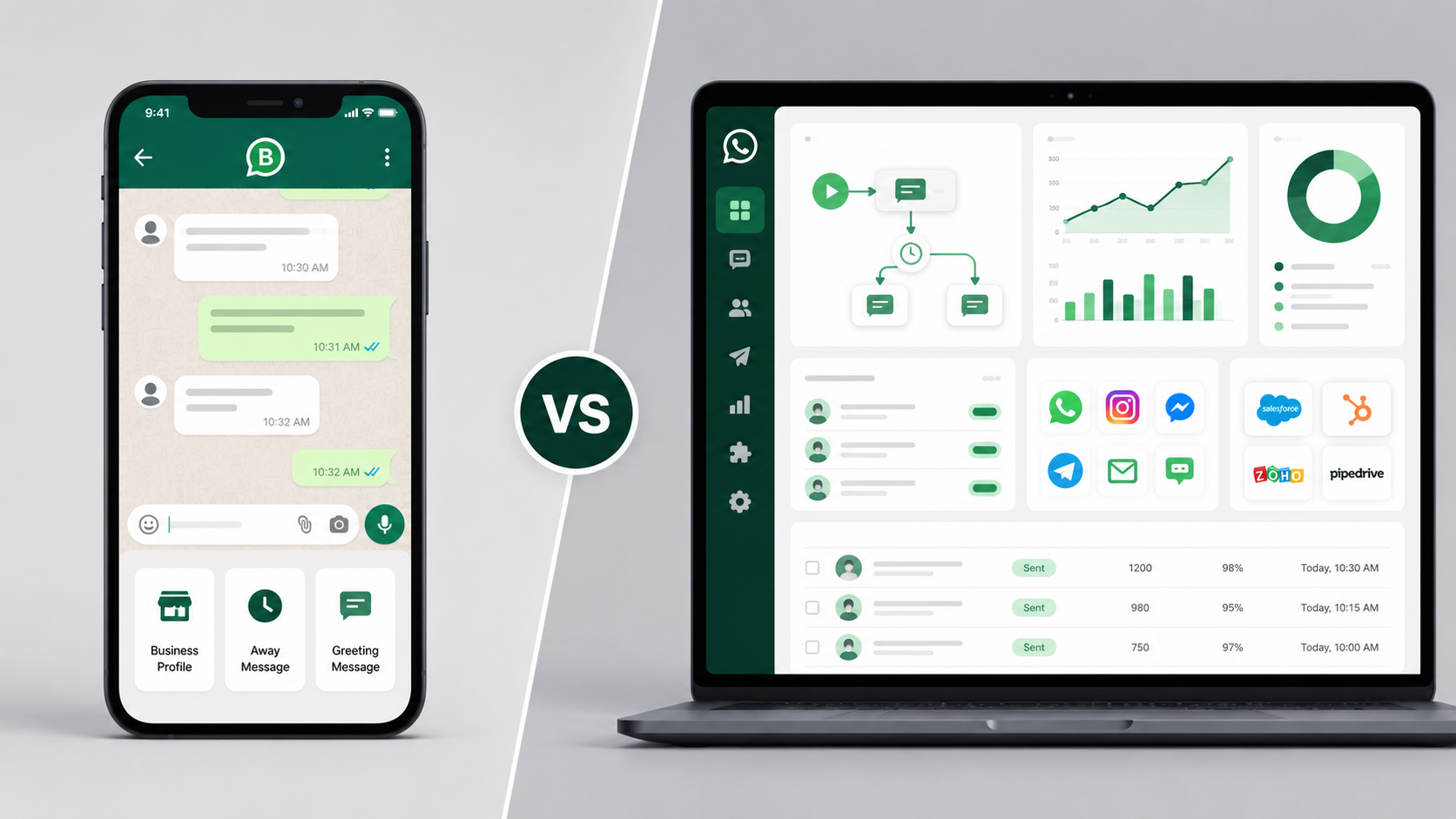
WhatsApp offers three distinct products for businesses. First, the standard WhatsApp Business App — a free mobile app suited for very small businesses. Second, the WhatsApp Business API (now branded as the Cloud API), which allows medium and large businesses to send messages programmatically, automate workflows, and integrate WhatsApp into CRMs, helpdesks, and chatbots. Third, there are third-party BSP (Business Solution Provider) platforms that sit on top of the API and charge monthly fees for their dashboard and tools.
Since Meta made the Cloud API available directly in 2022 and expanded it significantly through 2025–2026, many businesses can now self-host their integration at a dramatically lower cost than before. However, that route requires technical knowledge that many SMBs simply do not have.
2. Free Plan vs Paid Plan — Key Differences
Here is the honest truth: the underlying API is the same. What you are really comparing is whether you build and manage your own integration (free) or pay a BSP to give you a ready-made dashboard with support (paid).
The Free Route (Meta Cloud API Direct)
Meta's Cloud API is free to access. You pay only for conversation-based messaging charges, which we will cover in the pricing section. The free route gives you full API access, webhook support, message templates, and even basic chatbot capabilities — but you need a developer to set it all up. There is no visual dashboard, no drag-and-drop bot builder, and no support team to call when something breaks.
The Paid Route (BSP Platforms)
Paid BSP platforms charge a monthly subscription — typically between $30 and $300+ per month — in exchange for a visual inbox, team collaboration tools, chatbot builders, analytics dashboards, and dedicated support. For teams without a developer, or for businesses that need to move fast, this cost is usually worth it.
Check out whatolls.sbs for a curated list of tools that help you evaluate which BSP might suit your workflow before committing to a paid plan.
3. Full Feature Comparison Table 2026
The table below compares Meta's free Cloud API access against a typical paid BSP platform. Use it as your decision checklist.
| Feature | Free (Meta Cloud API) | Paid (BSP Platform) |
|---|---|---|
| Monthly Platform Cost | $0 | $30–$300+/mo |
| Conversation Charges | Meta rates apply | Meta rates + possible markup |
| Setup Requirement | Developer required | No-code setup available |
| Visual Inbox / Dashboard | ✗ None | ✓ Included |
| Multi-Agent Team Inbox | ✗ Build yourself | ✓ Included |
| Chatbot / Flow Builder | ✗ Custom code only | ✓ Drag-and-drop |
| Broadcast / Bulk Messaging | ✓ Via API calls | ✓ One-click UI |
| Message Templates | Both — Meta approval needed | Both — Meta approval needed |
| CRM Integration | Manual API integration | Native integrations available |
| Analytics & Reporting | ✗ Build custom | ✓ Built-in dashboards |
| Green Tick (Verified Badge) | Both — apply via Meta | Both — BSP may assist |
| Customer Support | Meta developer docs only | Dedicated support team |
| Free Trial Available | Yes (1,000 free conversations/month) | 7–14 day trial (most BSPs) |
| Best For | Developers, startups, tech teams | SMBs, enterprises, non-tech teams |
4. WhatsApp API Pricing in 2026
Since Meta moved to a conversation-based pricing model, costs are calculated per 24-hour conversation window — not per individual message. As of 2026, Meta has restructured pricing into four conversation categories:
| Conversation Type | Initiated By | Approx. Cost (USD) |
|---|---|---|
| Marketing | Business | $0.025–$0.085 per convo |
| Utility | Business | $0.005–$0.015 per convo |
| Authentication | Business | $0.005–$0.015 per convo |
| Service | User | Free (as of 2024 update) |
Costs vary by country. India, Brazil, and Indonesia have different rate cards compared to the US and Europe. Always check the latest rate calculator at whatolls.sbs or Meta's official pricing page to estimate your monthly bill based on your target country and volume.
5. Who Should Use Free vs Paid?
Tech-first teams
- Startups with in-house developers
- SaaS products embedding WhatsApp
- Low-volume (<5,000 messages/mo)
- Businesses wanting full control
- Testing before committing to a BSP
Non-technical teams
- E-commerce & D2C brands
- Customer support & sales teams
- High-volume bulk campaigns
- Teams needing multi-agent inbox
- Businesses wanting quick launch
Still unsure which category your business falls into? Browse comparison guides and real-use-case examples at whatolls.sbs to see how similar businesses have made the decision.
6. Pros & Cons of Each Plan
Free Meta Cloud API
Pros: Zero platform fees, full API flexibility, no vendor lock-in, ideal for custom integrations, and direct relationship with Meta. If you have a good developer, you can build a powerful WhatsApp solution for literally the cost of server hosting plus Meta's conversation fees.
Cons: Requires technical expertise that most SMBs lack, no built-in UI, zero support beyond documentation, and debugging can be time-consuming. Setting up webhooks, managing token refresh, building a message queue, and handling failures is non-trivial work.
Paid BSP Platforms
Pros: Ready in hours, not weeks. You get a visual dashboard, chatbot builder, bulk messaging tools, agent routing, and usually a free trial. For a sales or support team that just needs to start messaging customers today, this is the obvious choice.
Cons: Monthly fees add up quickly. Some BSPs mark up Meta's conversation rates. Switching platforms later can be painful if your data and flows are locked into a proprietary system. Always read the data portability and cancellation terms before signing up.
Pro tip: Many businesses start with a paid BSP to validate their WhatsApp strategy, then move to a custom API integration once they know exactly what they need. This hybrid approach saves time upfront and money in the long run.
7. Frequently Asked Questions
Final Verdict
If you have developer resources and want maximum control at minimum cost — go with the free Meta Cloud API. If you are a business team that needs to move fast, work collaboratively, and skip the technical setup — a paid BSP platform will pay for itself in saved time within the first month.
The right choice is not about free vs paid. It is about your team's capabilities vs the problem you are solving.
Explore Free WhatsApp Tools →