WhatsApp Chatbot Setup Free in 2026 — Beginner Guide for Business Automation
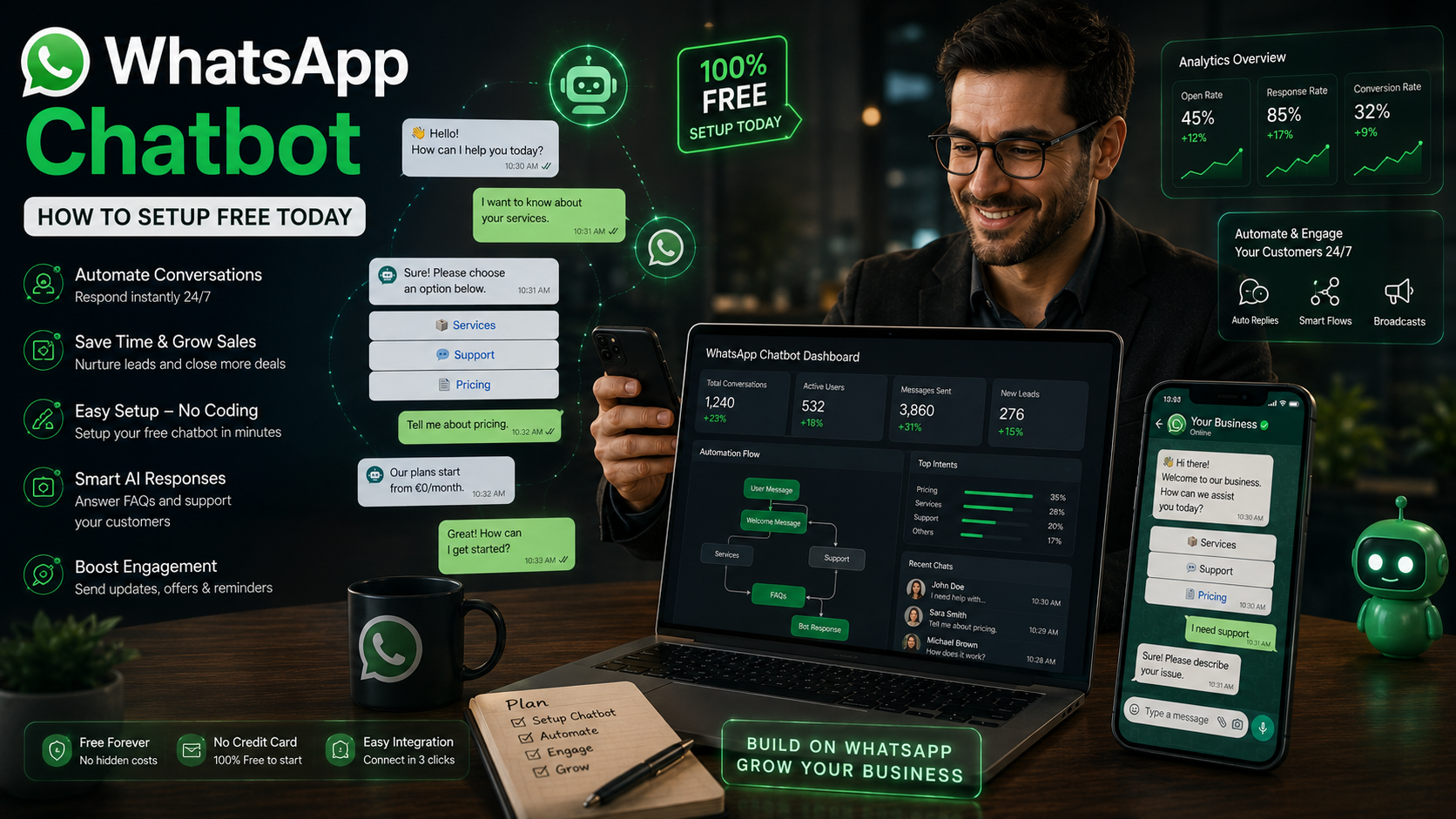
WhatsApp Chatbot — How to Setup Free in 2026 🤖 WhatsApp Automation Guide WhatsApp Chatbot — How to Setup Free in 2026
Learn how to create a powerful WhatsApp chatbot for free in 2026. Automate replies, generate leads, improve customer support, and grow your business without coding.
📅 Updated 2026
💬 Beginner Friendly
🆓 Free Setup
📱 Works on Mobile & Desktop
WhatsApp chatbots are changing how businesses communicate with customers in 2026. Instead of replying manually to every message, businesses now use automated WhatsApp bots to answer questions instantly, send product details, collect leads, and provide 24/7 support. The best part? You no longer need expensive software or coding skills to build one. In this complete guide, you'll learn exactly how to setup a free WhatsApp chatbot step by step.
📑 Table of Contents
- What Is a WhatsApp Chatbot?
- Why Businesses Use WhatsApp Bots
- Benefits of WhatsApp Automation
- How to Setup a Free WhatsApp Chatbot
- Best Features to Add
- Common Mistakes to Avoid
- WhatsApp Chatbot vs Human Support
- Frequently Asked Questions
What Is a WhatsApp Chatbot?
A WhatsApp chatbot is an automated messaging system that replies to customers instantly on WhatsApp. Instead of waiting for a person to answer manually, the bot automatically responds using pre-written messages, buttons, quick replies, and workflows.
For example, if someone messages your business asking:
- “What are your prices?”
- “Do you deliver?”
- “What are your business hours?”
- “How can I place an order?”
The chatbot answers immediately without human involvement.
💡 Important:
WhatsApp chatbots are widely used in e-commerce, real estate, restaurants, customer support, travel agencies, and online businesses because they save time and improve customer experience.
Why Businesses Use WhatsApp Chatbots in 2026
WhatsApp has become one of the most powerful communication platforms in the world. Customers prefer messaging over phone calls and emails because it's faster and more convenient.
Businesses use chatbots because customers expect instant replies. If someone waits too long for a response, they often contact another business instead.
Business Need How Chatbots Help Customer Support Instant automated replies 24/7 Lead Generation Collect customer information automatically Sales Automation Send products, pricing, and offers instantly Time Saving Reduce manual messaging workload Business Growth Handle more customers at once Benefits of Using a WhatsApp Chatbot
1. Instant Replies
Customers receive responses immediately instead of waiting for business hours.
2. 24/7 Customer Support
Your chatbot continues working even while you sleep.
3. Better Customer Experience
Fast responses improve trust and customer satisfaction.
4. More Sales Opportunities
Chatbots guide users toward products, services, and offers automatically.
5. Save Time
You avoid answering repetitive questions manually every day.
How to Setup a Free WhatsApp Chatbot
- 1Create a WhatsApp Business AccountDownload WhatsApp Business from Google Play or the App Store and register your business number.
- 2Complete Your Business ProfileAdd your business name, logo, description, email, website, and business hours.
- 3Enable Quick RepliesGo to WhatsApp Business settings and create quick replies for common questions.
- 4Set Automated Greeting MessagesCreate welcome messages that automatically greet new customers.
- 5Configure Away MessagesSetup automatic replies when you're offline or unavailable.
- 6Use Free Automation ToolsConnect WhatsApp with chatbot platforms to create advanced automation flows.
Best Features to Add to Your Chatbot
- ✅ Welcome Messages
- ✅ Auto Reply System
- ✅ FAQ Automation
- ✅ Product Catalog Links
- ✅ Lead Collection Forms
- ✅ Quick Reply Buttons
- ✅ Order Tracking Messages
- ✅ Appointment Booking
🚀 Pro Tip:
Combine your chatbot with WhatsApp Click-to-Chat links and QR codes so customers can instantly start conversations from websites, ads, and social media.
Common Mistakes to Avoid
Many beginners create chatbots incorrectly. Avoid these mistakes:
- Using robotic and unnatural replies
- Making automation too complicated
- Ignoring customer follow-ups
- Sending spam messages
- Not testing chatbot flows properly
- Using slow response systems
WhatsApp Chatbot vs Human Support
Feature Chatbot Human Support Speed Instant Slower Availability 24/7 Limited Hours Handling Repetitive Questions Excellent Time Consuming Complex Problems Limited Better Cost Lower Higher Frequently Asked Questions
Is WhatsApp chatbot free?
+
Yes. You can setup a basic WhatsApp chatbot for free using WhatsApp Business features like greeting messages, away messages, and quick replies.
Do I need coding skills?
+
No. Most modern chatbot platforms are no-code and beginner friendly.
Can chatbots increase sales?
+
Yes. Faster responses and automated customer support often improve conversions and customer satisfaction.
Can I use chatbot on mobile?
+
Absolutely. WhatsApp Business works on both Android and iPhone devices.
Start Your Free WhatsApp Chatbot Today
Automate customer support, collect leads, and grow your business faster using WhatsApp automation tools in 2026.
🔗 Related WhatsApp Tools
WhatsApp QR Code Generator Click to Chat Generator Bulk Message Sender WhatsApp Number Validator Message Formatter Tool
const faqItems=document.querySelectorAll('.faq-item'); faqItems.forEach(item=>{ item.querySelector('.faq-question').addEventListener('click',()=>{ item.classList.toggle('active'); }); });