WhatsApp vs Slack for Team Communication — Which Wins in 2026?
WhatsApp vs Slack for Team Communication — Which Wins in 2026?
A complete comparison of the world's most popular communication platforms for modern teams.
Team communication has evolved dramatically over the past decade. As businesses continue embracing remote work, hybrid offices, and global collaboration, choosing the right communication platform has become more important than ever. Two of the most widely used tools in 2026 are WhatsApp and Slack.
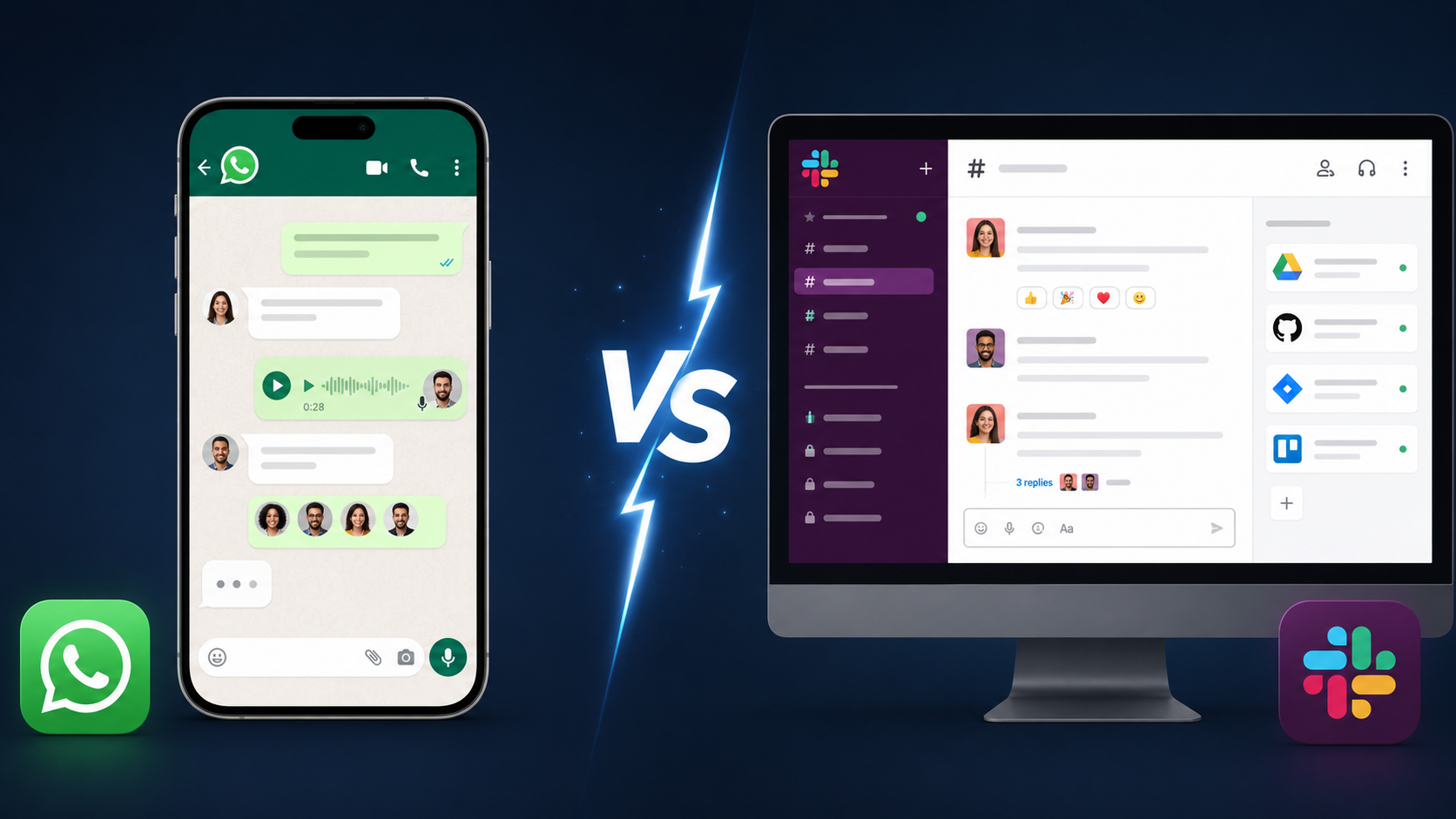
While WhatsApp dominates personal messaging and small business communication, Slack has established itself as a powerful workplace collaboration platform. Both tools offer messaging, file sharing, voice calls, and group discussions, but they serve different purposes and audiences.
This guide compares WhatsApp and Slack across features, security, collaboration capabilities, integrations, pricing, and overall usability to determine which platform comes out on top in 2026.
Understanding WhatsApp
WhatsApp remains one of the most popular messaging applications worldwide. Known for its simplicity and reliability, it allows users to send messages, share media, conduct voice and video calls, and create group chats.
For small teams, startups, freelancers, and local businesses, WhatsApp provides an easy way to stay connected without requiring extensive setup or training.
- Instant messaging
- Voice and video calls
- Group chats
- Media sharing
- End-to-end encryption
- Business profiles and automation tools
Understanding Slack
Slack was designed specifically for workplace communication. Unlike traditional messaging apps, Slack organizes conversations into channels, making it easier for teams to collaborate on projects, departments, and specific tasks.
In 2026, Slack has become more than a messaging platform. It functions as a digital workplace where communication, project management, automation, and integrations work together seamlessly.
- Channel-based communication
- Threaded conversations
- Advanced search
- Workflow automation
- Third-party integrations
- Enterprise-grade administration
WhatsApp vs Slack Comparison Table
| Feature | Slack | |
|---|---|---|
| Ease of Use | Excellent | Very Good |
| Team Collaboration | Basic | Advanced |
| Channels | No | Yes |
| File Sharing | Limited | Extensive |
| Search Functionality | Basic | Powerful |
| App Integrations | Limited | Thousands |
| Security | Strong Encryption | Enterprise Security |
| Scalability | Small Teams | Small to Enterprise |
| Workflow Automation | Minimal | Advanced |
| Best For | Small Businesses | Professional Teams |
Communication Experience
WhatsApp focuses on simplicity. Users can start conversations immediately, making it ideal for quick communication. However, as team size grows, managing conversations becomes challenging because discussions are limited to groups and individual chats.
Slack, on the other hand, organizes communication through channels. Teams can create dedicated spaces for marketing, development, support, management, and projects. This structure keeps information organized and easy to locate.
For professional collaboration, Slack clearly offers a more efficient communication environment.
Productivity and Integrations
Modern businesses rely on multiple software tools. Slack excels in this area by integrating with project management platforms, cloud storage services, CRM systems, development tools, and AI assistants.
Employees can receive updates, automate workflows, approve requests, and monitor projects without leaving Slack.
WhatsApp lacks this level of integration. While it works well for messaging, it is not designed as a productivity hub.
Security and Privacy
Security remains a top priority in 2026. WhatsApp continues to provide end-to-end encryption by default, ensuring messages remain private between participants.
Slack focuses on enterprise security with features such as data governance, compliance controls, administrative permissions, audit logs, and secure authentication systems.
For personal privacy, WhatsApp has an advantage. For corporate compliance and business security requirements, Slack offers more sophisticated controls.
Cost Considerations
WhatsApp is generally free for most users, making it attractive for startups and small businesses operating on limited budgets.
Slack provides a free plan but unlocks its most powerful features through paid subscriptions. For organizations that depend heavily on collaboration and productivity tools, the investment is often worthwhile.
Which Platform Is Better for Different Teams?
WhatsApp is ideal for:
- Small businesses
- Freelancers
- Local service providers
- Customer communication
- Quick informal collaboration
Slack is ideal for:
- Remote teams
- Growing startups
- Technology companies
- Enterprise organizations
- Cross-functional collaboration
Final Verdict: Which Wins in 2026?
The answer depends on your team's needs. If simplicity, accessibility, and free communication are your priorities, WhatsApp remains a strong option. It is easy to use, widely adopted, and highly effective for small-scale communication.
However, when evaluating professional team collaboration, productivity, scalability, workflow management, and integrations, Slack emerges as the clear winner in 2026.
Businesses looking to improve efficiency, organize communication, and support long-term growth will benefit significantly from Slack's advanced capabilities.
Explore More Communication and Productivity Guides
Visit Whatolls.sbs for more technology comparisons, software reviews, and productivity insights.